How to
Realtime Collaboration
How to invite teammates, share chats, and collaborate in realtime on SurfSense
Realtime Collaboration
SurfSense supports realtime collaboration so your team can work together on shared Search Spaces and chats. This guide walks you through the full setup.
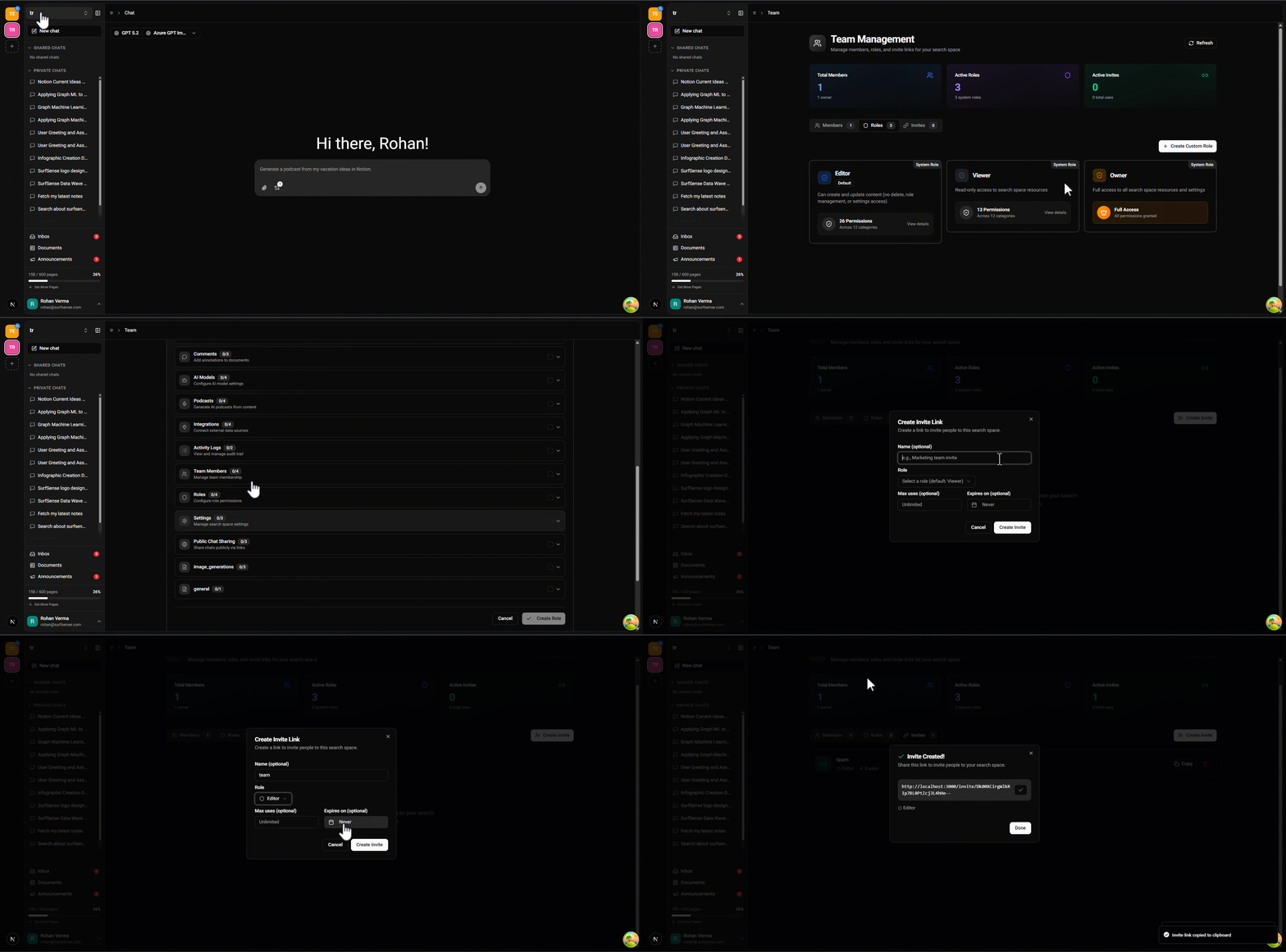
Step 1: Invite Members
Go to the Manage Members page in your Search Space and create an invite for your teammates.
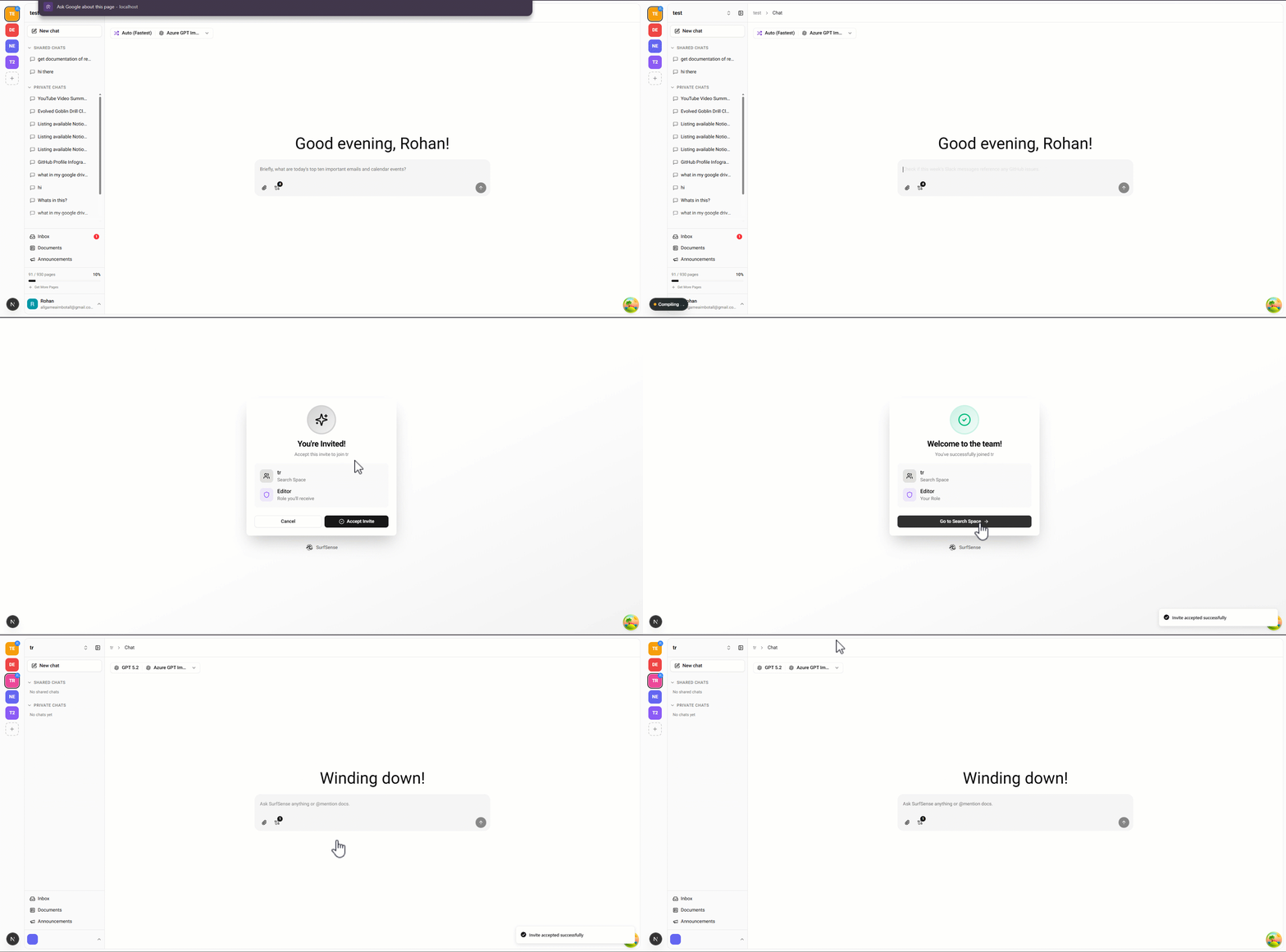
Step 2: Teammate Joins
Your teammate accepts the invite and the Search Space becomes shared between you.
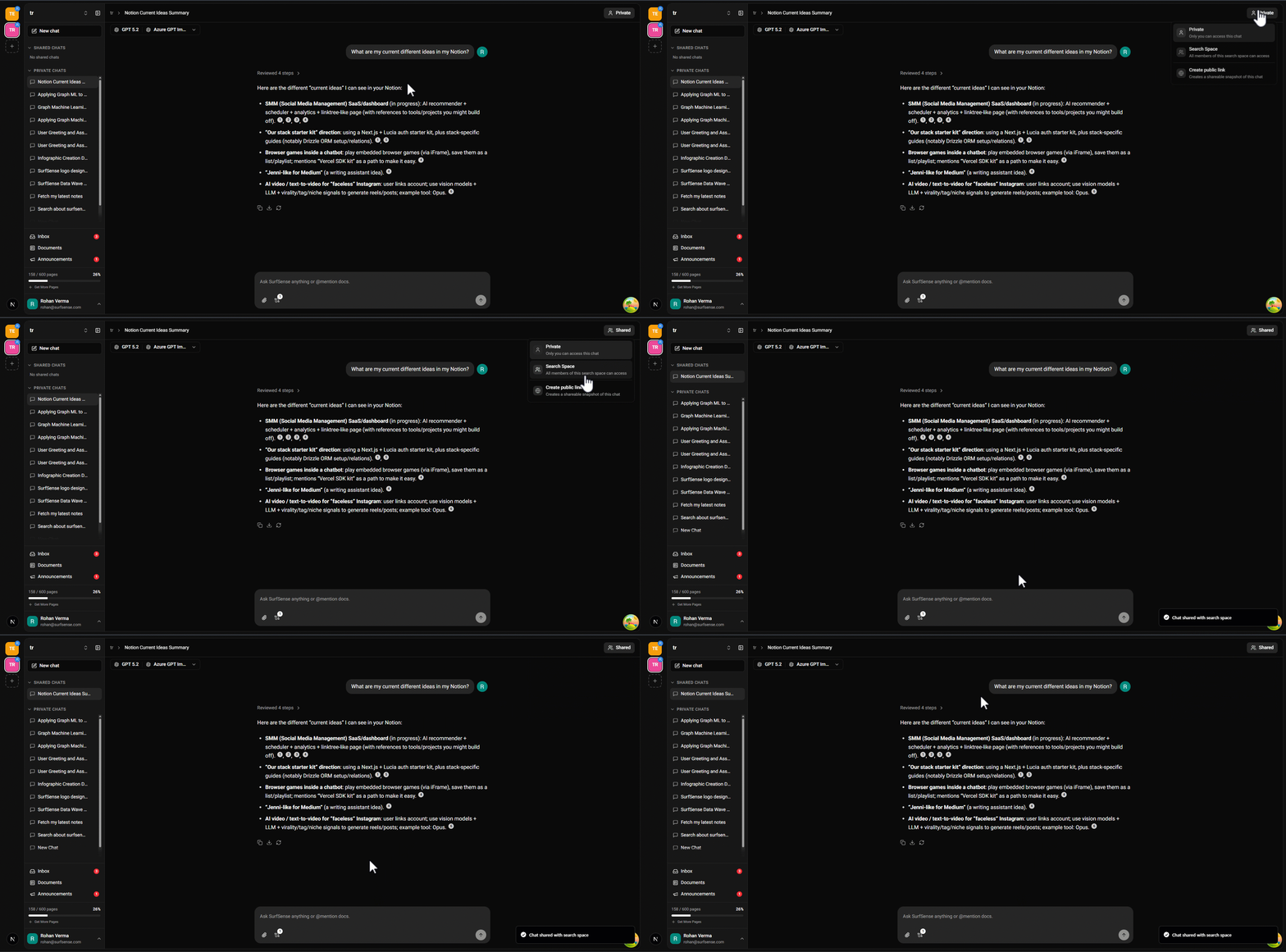
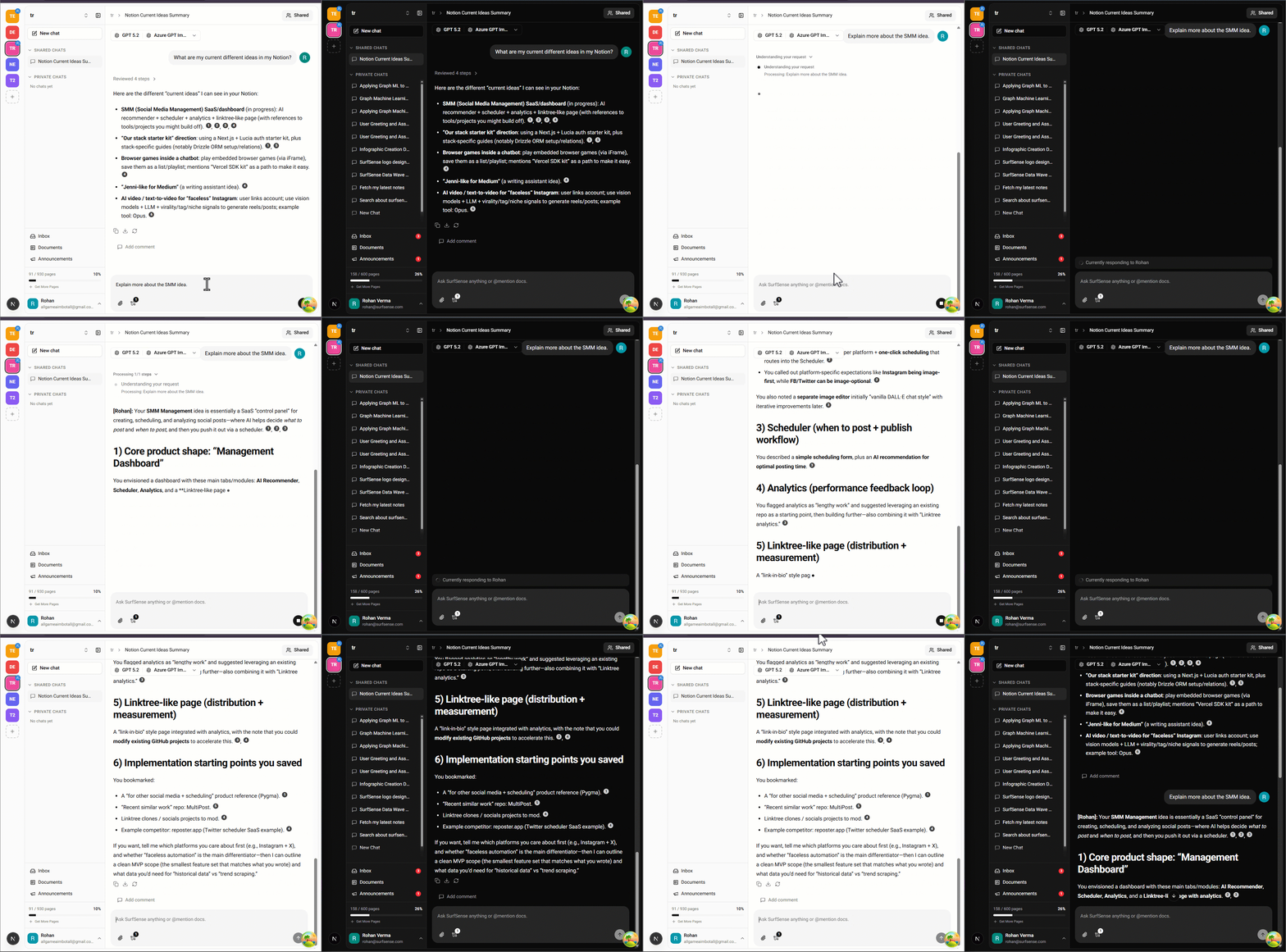
Step 3: Make Chat Shared
Toggle any chat to Shared so your team can see and participate in it.
Step 4: Chat in Realtime
Your team can now chat together in realtime. Messages appear instantly for all participants.
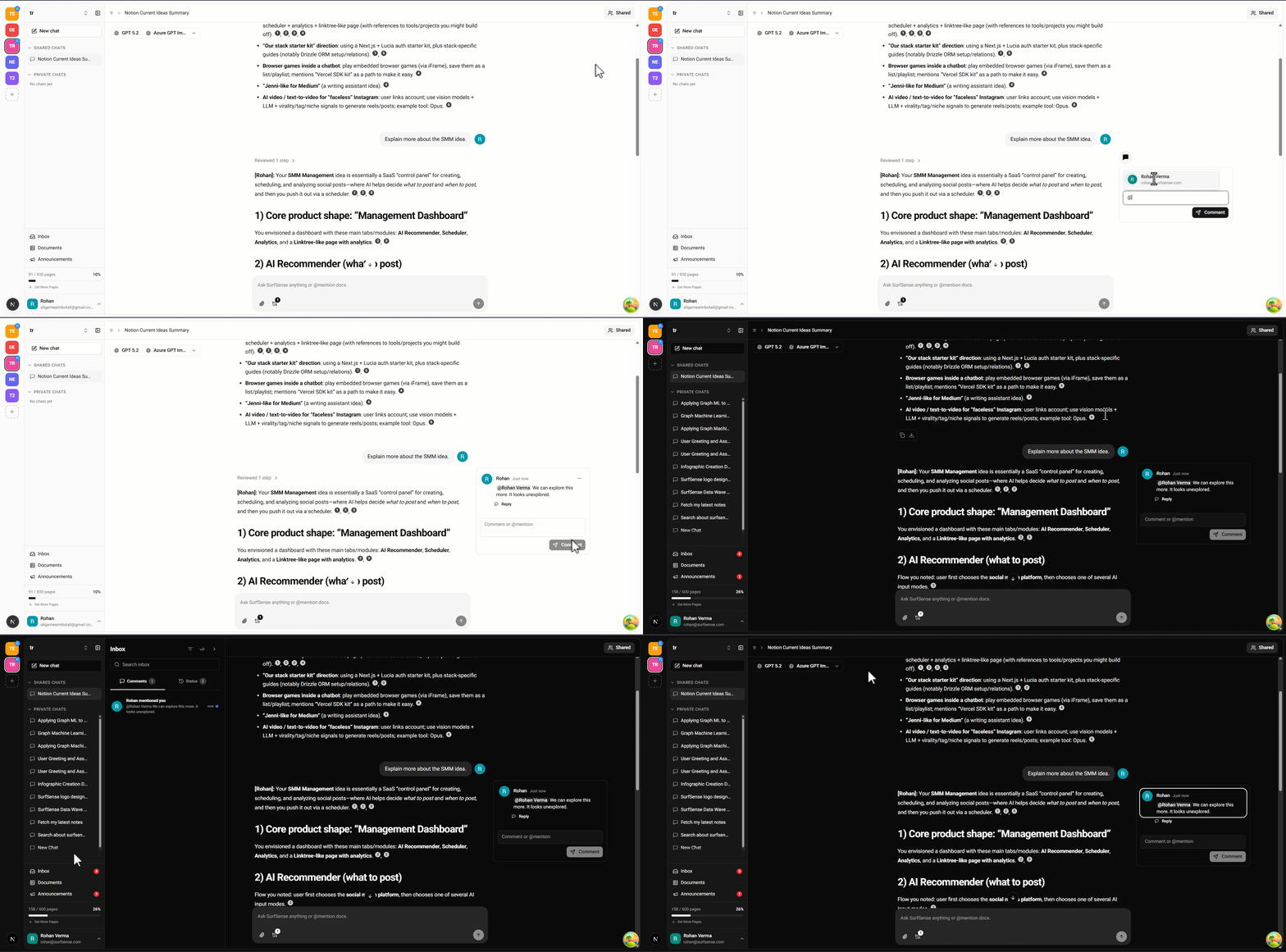
Step 5: Add Comments
Tag teammates by adding comments on any message. Great for reviews, feedback, or follow-ups.